Why good AI prompts matter more than you think
Part of the Claude Code in Practice series
Series outline: 1. Why Claude Code is different • 2. How Claude reads your codebase • 3. Writing tasks Claude can complete • 4. Plan mode workflow • 5. Real-world scenarios • 6. MCP and skills • 7. Optimizing for speed • 8. Building your workflow
I have seen this repeatedly: two engineers can ask Claude Code to do the same thing and get completely different results. One gets a clean implementation in minutes. The other gets confusion, back-and-forth, mediocre code. The difference is not skill level or AI luck. It is how they frame the task. This might be the most important skill for working with AI tools.
What makes a task completable
A good Claude Code task has three qualities: it is specific enough to be actionable, broad enough to allow exploration, and clear about the desired outcome.
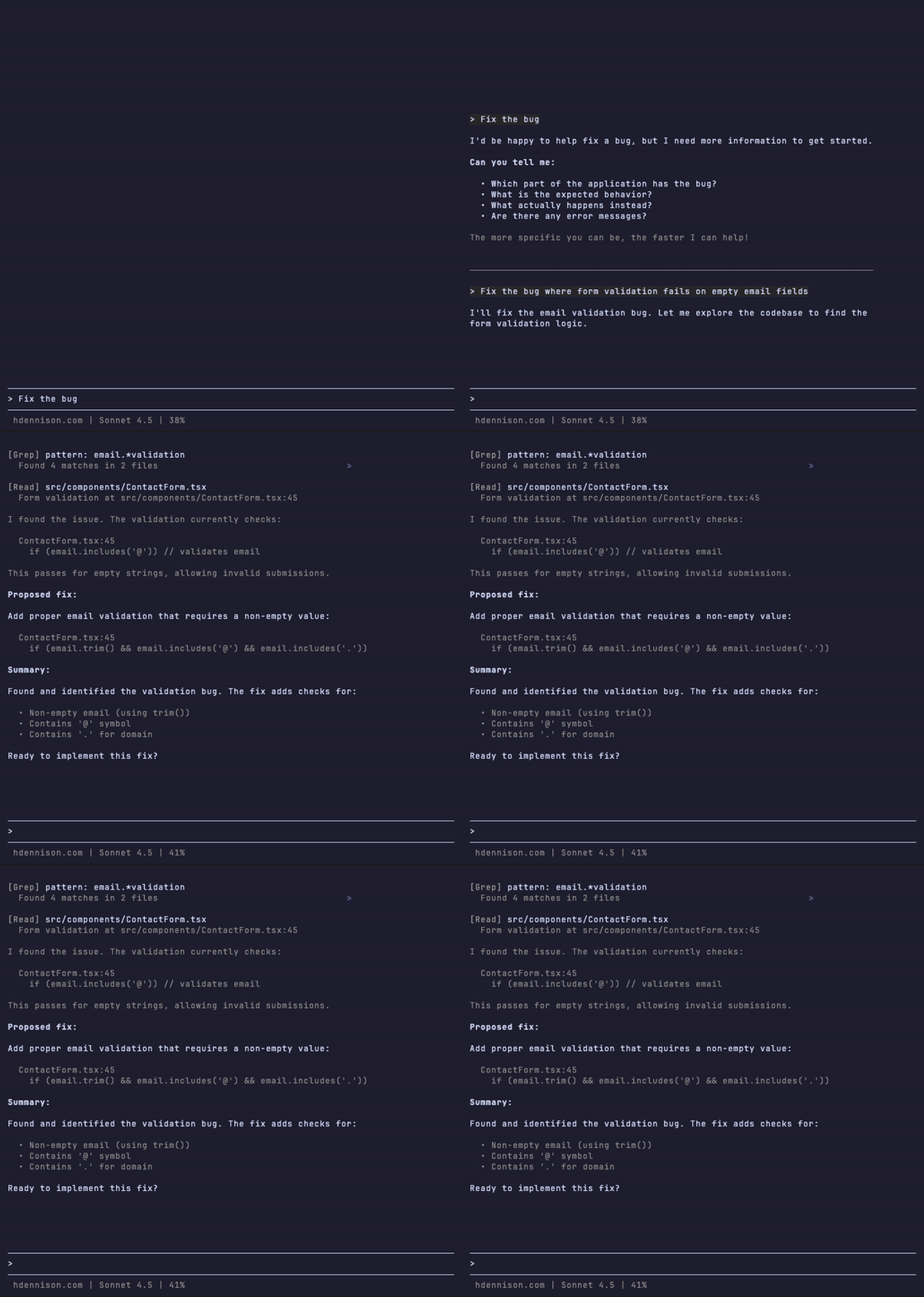
Specific enough means Claude knows what to work on. “Fix the authentication” is too vague. “Fix the authentication bug where users get logged out after 5 minutes” gives Claude something concrete to investigate.
Broad enough means you are not micromanaging every step. “Change line 47 to use useState instead of useReducer” does not need Claude. You can do that yourself faster. Claude shines when you describe the what and let it figure out the how.
Clear outcome means Claude knows when it is done. “Make the app faster” is open-ended. “Reduce the initial page load time by eliminating unnecessary data fetching” has a measurable goal.
Scope matters
The biggest mistake is scope. Too broad and Claude spins its wheels trying to understand what you actually want. Too narrow and you waste Claude’s capabilities on work you could do yourself faster.
Here are examples of scope problems:
Too broad: “Improve the user dashboard”
- What aspect? Performance? UI? Features?
- Claude will ask for clarification or make assumptions you did not want
Too narrow: “Add a semicolon to line 42”
- Just do it yourself
- Using Claude for trivial changes is slower than doing them directly
Just right: “Refactor the UserDashboard component to use composition instead of prop drilling for theme data”
- Clear target (UserDashboard)
- Specific problem (prop drilling for theme)
- Defined approach (use composition)
- Leaves implementation details to Claude
Providing the right context
Claude explores your codebase automatically, but you can speed things up by pointing it in the right direction. Mentioning file names, component names, or error messages helps Claude start its search in the right place.
You do not need to explain your entire architecture. If Claude needs to understand something, it will read the relevant files. Trust the exploration process. Your job is to describe the task clearly, not to pre-explain everything.
That said, if you have relevant context that Claude might not find easily (like a recent architectural decision or a specific constraint), include it. “We are migrating from Redux to Context API, so prefer Context solutions” saves Claude from proposing Redux code.
Breaking tasks into chunks
Sometimes a task is legitimately large. When you are tempted to say “rebuild the entire authentication system,” stop and break it down.
Large tasks become good tasks when you slice them:
- “Migrate user login to use the new auth service”
- “Add password reset functionality using the new auth service”
- “Update session management to work with the new auth tokens”
Each piece is completable. Each piece can be tested. Each piece builds on the last. This is better than asking Claude to do everything at once and hoping it all works.
Good vs bad examples
| ❌ Unclear tasks | ✅ Clear tasks |
|---|---|
| ”Fix the bug" | "Fix the bug where form validation fails on empty email fields" |
| "Update the components" | "Update the Button and Input components to use the new design tokens" |
| "Make it faster" | "Optimize the product list by implementing virtualization" |
| "Add tests" | "Add unit tests for the authentication helper functions in auth.ts" |
| "Refactor this" | "Refactor the data fetching in ProductPage to use React Query instead of useEffect” |
The pattern is consistent. Good tasks specify what needs to change and why, while leaving the implementation details to Claude.
When to break instead of fix
If you find yourself writing a multi-paragraph explanation of what you want, that is a sign the task is too complex. Either you need to break it into smaller pieces, or you need to simplify what you are asking for.
Long explanations usually mean you are trying to do too much at once. Claude works best with focused tasks that have clear boundaries. Save the complex multi-step projects for sequences of smaller tasks, not one giant request.
The setup for success
Writing good tasks is a skill. You get better with practice. Start with small, well-defined tasks and build up to larger ones as you learn what works.
But even perfectly framed tasks can go wrong if you do not review and approve what Claude plans to do. That is where plan mode comes in. It is the workflow that turns good task descriptions into reliable results. We will cover that next.
Previous: ← How Claude reads your codebase | Next: Plan mode workflow →